Omni Studio
Connect images, video, and music on one node canvas and build a piece across mediums without leaving the flow.
Describe a shot, or write it beat by beat, and PrismPoster renders it as video with its own sound. The Premium engine holds one continuous take of up to 30 seconds in 5 frame shapes, up to 1080p. The Standard engine renders fast 4–10-second shots up to 4K on every plan, including Free.
Premium engine
What one render holds
Made on the Premium engine
Three takes rendered on the Premium engine from written briefs: a three-beat move on one continuous shot, a vertical close-up, and a cinematic 21:9 tracking shot. None of them is stock, and none of the sound was added afterwards.
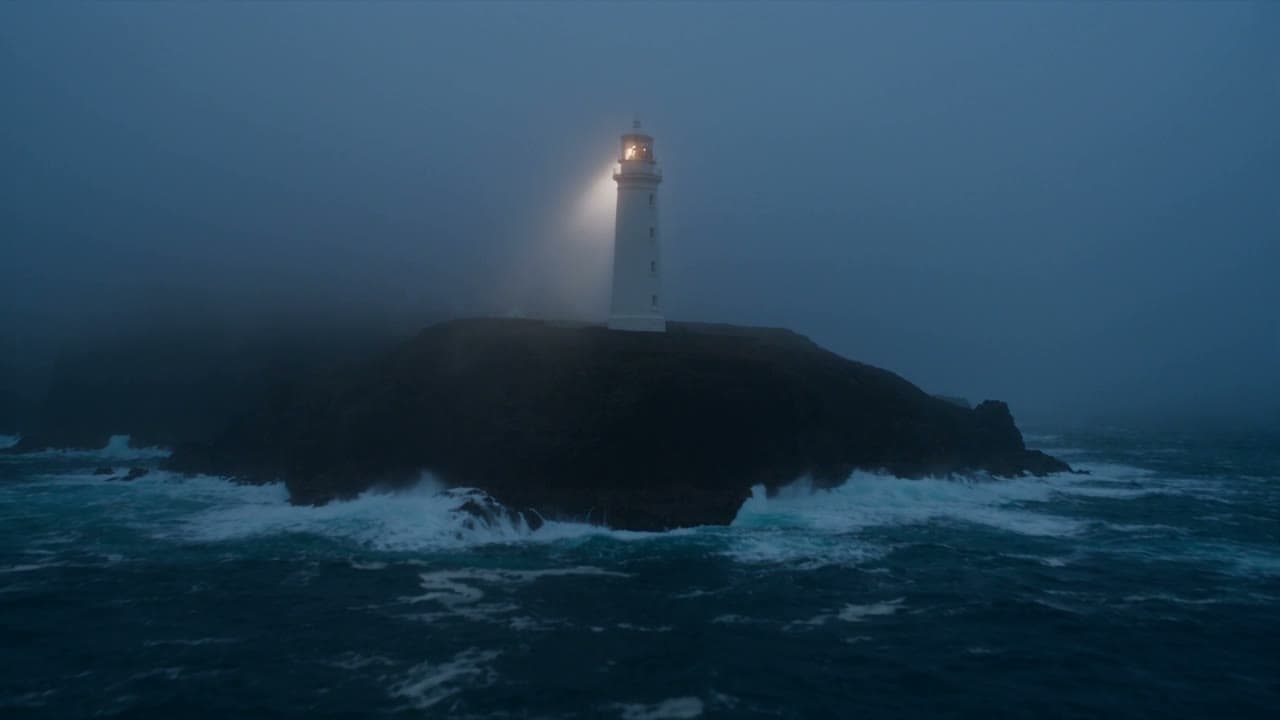
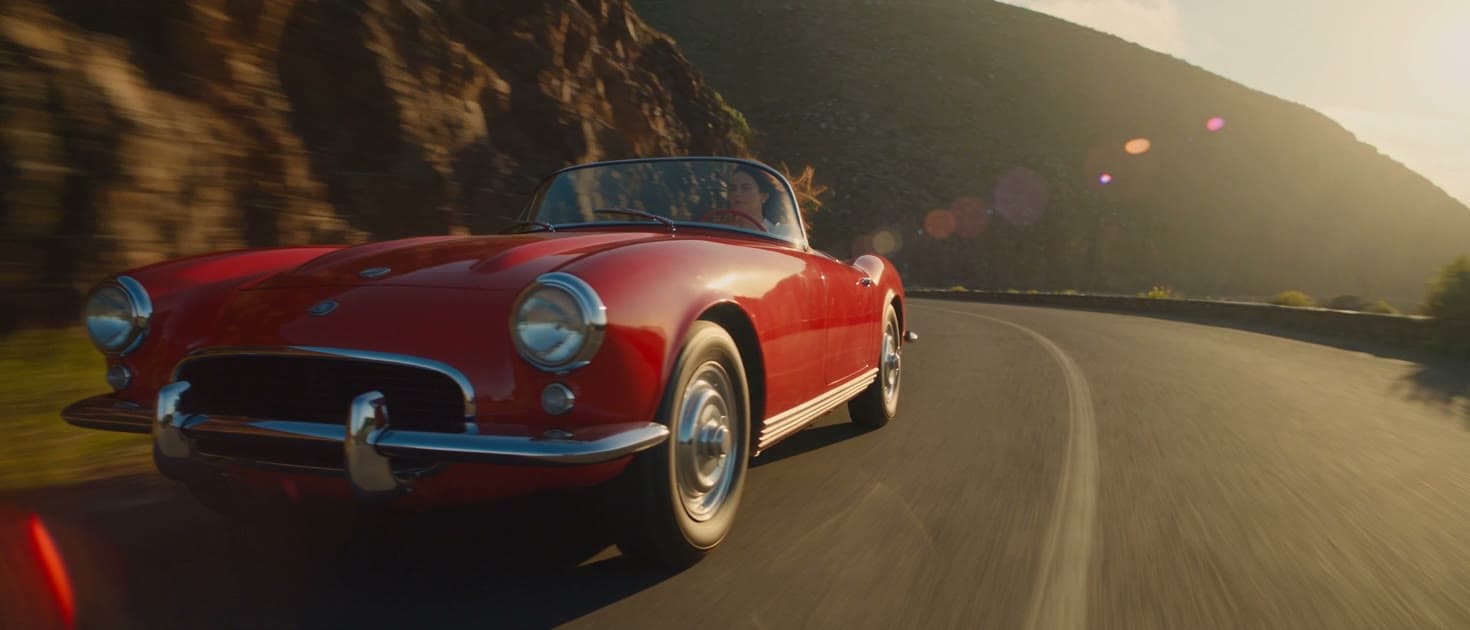

Point at a clip to hear the sound it was rendered with.
Free tool
Give each beat a line of action and a length. The builder times the script, checks it against what each engine renders, prices it at every Premium quality, and opens it in the Video studio. It runs in your browser; nothing renders until you press Generate.
Take length
15s
Fits one Premium take of 15 seconds.
The Standard engine renders one shot per render, up to 10 seconds, so this script would be 3 renders cut together on the timeline.
| Quality | Credits |
|---|---|
| 480p | 270 credits |
| 720p | 600 credits |
| 1080p | 1,500 credits |
The script opens in the Video studio's brief. Timed beats render as one continuous take on the Premium engine.
Standard or Premium
Every render lands in the same Library and cuts on the same timeline, so you can pick the engine shot by shot: Standard for fast shots and 4K, Premium for long takes, cinematic frames and sound you can steer.
| Feature | Standard engine | Premium engine |
|---|---|---|
| Longest single take | 10 seconds | 30 seconds |
| Lengths you can pick | 4, 6, 8, 10 seconds | Any whole second from 4 to 30 |
| Frame shapes | 16:9 · 9:16 | 16:9 · 9:16 · 1:1 · 21:9 · 3:4 |
| Resolutions | 360p · 720p · 1080p · 4K | 480p · 720p · 1080p |
| References per render | 7 images, 3 clips | 30 images, 10 clips, 10 sound tracks |
| Sound | Native sound on every render | Native sound; reference tracks can steer it |
| Start and end frames | Yes | Yes |
| Timed beats in one take | No: one shot per render | Yes: written beats render as one continuous take |
| Price | From 30 credits (4s at 360p) | 18 credits a second at 480p, up to 100 at 1080p |
| Included on | Every plan, including Free | Every paid plan, plus one try without a plan (5s at 480p, 90 credits) |
How it works
Describe one moment, or write timed beats such as 0-4s and 4-9s. On Premium the beats render as one continuous take.
Attach up to 30 reference images, 10 clips and 10 sound tracks, or set a start and an end frame.
Choose one of 5 frame shapes and a quality up to 1080p. The price is on the button before you render.
Continue a clip from its last frame, add music, captions and titles, and export a server-rendered master.
FAQ
One Premium render is a single continuous take of up to 30 seconds, at any whole second from 4. One Standard render runs 4, 6, 8, 10 seconds. Longer videos are cut from several takes on the timeline editor, which puts no length cap on the export.
Yes. Both engines render sound together with the picture. On the Premium engine you can also attach up to 10 reference tracks to steer the soundtrack, and on the timeline editor you can replace the sound or mix music under it.
Standard is fast and on every plan: 4, 6, 8, 10-second shots in 16:9 · 9:16, from 360p to 4K. Premium renders one continuous take of up to 30 seconds directed in timed beats, in 16:9 · 9:16 · 1:1 · 21:9 · 3:4, with up to 50 references, up to 1080p. Premium is included on every paid plan.
Every account gets one Premium draft without a plan: 5 seconds at 480p for 90 credits, paid from your credits like any render. After any credit pack you can master that draft once in 1080p. Rendering on Premium beyond that needs a paid plan.
Premium renders 16:9 · 9:16 · 1:1 · 21:9 · 3:4 at 480p · 720p · 1080p. Standard renders 16:9 · 9:16 at 360p · 720p · 1080p · 4K.
Give each beat a time range and one line of action, for example “0-4s: wide aerial of the coast” and “4-9s: the camera climbs the tower”. On the Premium engine the beats render as one continuous take. The shot script builder on this page times them for you and checks the total against the 30-second limit.
Premium is billed per second at the quality you choose: 18 credits a second at 480p, 40 at 720p and 100 at 1080p, so a 10-second take at 720p is 400 credits. The price shows on the render button before you spend anything.
Yes. A Premium render takes up to 30 reference images, 10 clips and 10 sound tracks to steer the look, the motion and the sound; reference clips share 30 seconds between them, and so do tracks. The Standard engine takes up to 7 images and 3 clips. A real person can only appear through the consented likeness setup.
Yes. You can change or extend a Premium clip in the Video studio. An edit bills the source clip's seconds plus the new ones, at 11 to 60 credits a billed second depending on quality, and the price is shown before you confirm.
The studio behind this tool
Every free tool on this page is cut from PrismPoster itself — six studios that share one credit wallet, one library, and one timeline editor. Where the free tool stops, the studios keep going.
Connect images, video, and music on one node canvas and build a piece across mediums without leaving the flow.
Generate pictures from prompts or references, then refine them in place with Magic Edit — remove objects, retouch, upscale.
Turn a prompt or a still image into a moving clip, in vertical or widescreen for wherever it ships.
Design a character once and reuse them consistently — the same face in new images, scenes, and clips.
Plan a video scene by scene, then send each shot to the studios to render.
Write full tracks with vocals or instrumentals for your videos and streams.
Start free
First-month offer
First-time subscribers unlock 15% off the first month of any monthly plan — a one-time personal window of 72 hours that opens when you first engage and never resets.
While your window is open, the discount is applied automatically at checkout — there is no code to enter.
Animate a still into a Standard clip, with a free preview on the page.
Cut your takes together, add music and captions, and export a master.
Plan a longer film shot by shot before you render a single take.
Write the camera move and the action for a clip in plain words.
Single-take limits across AI video tools, and how longer videos get made.
Plans, credit packs and what each one renders.
Write the take beat by beat, render it with its own sound, and finish it on the timeline, in one studio with one credit wallet.