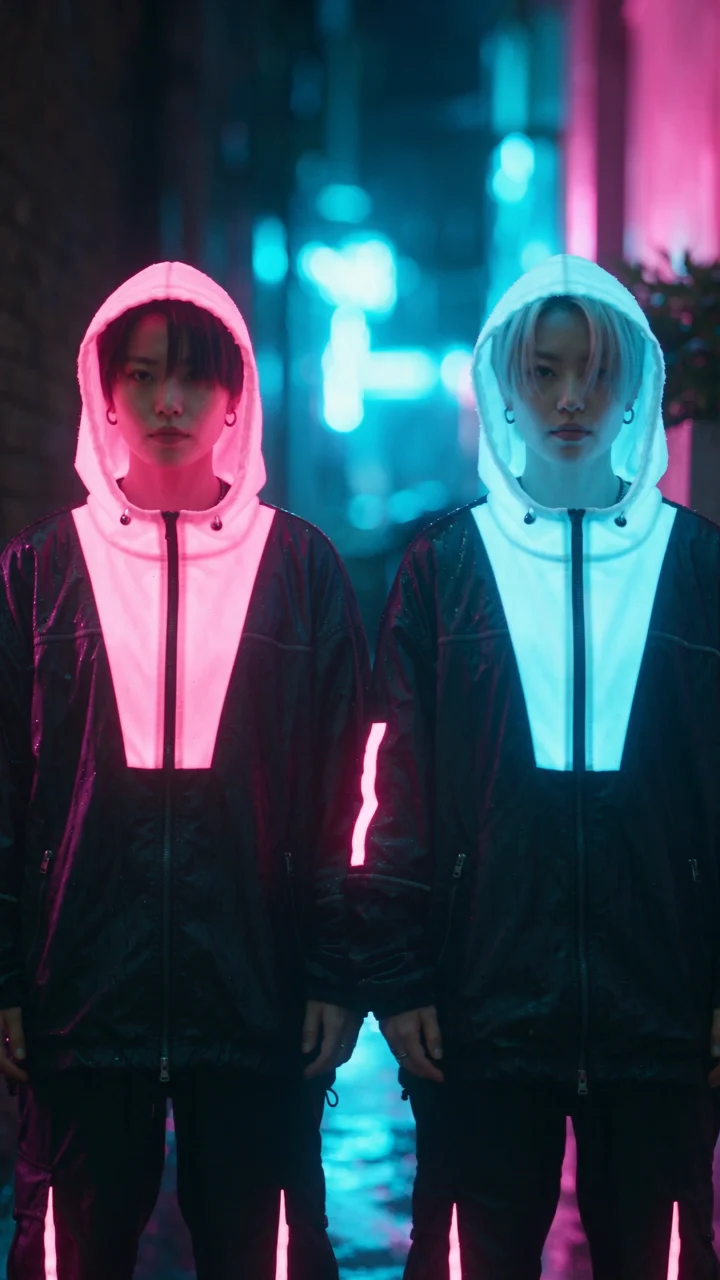
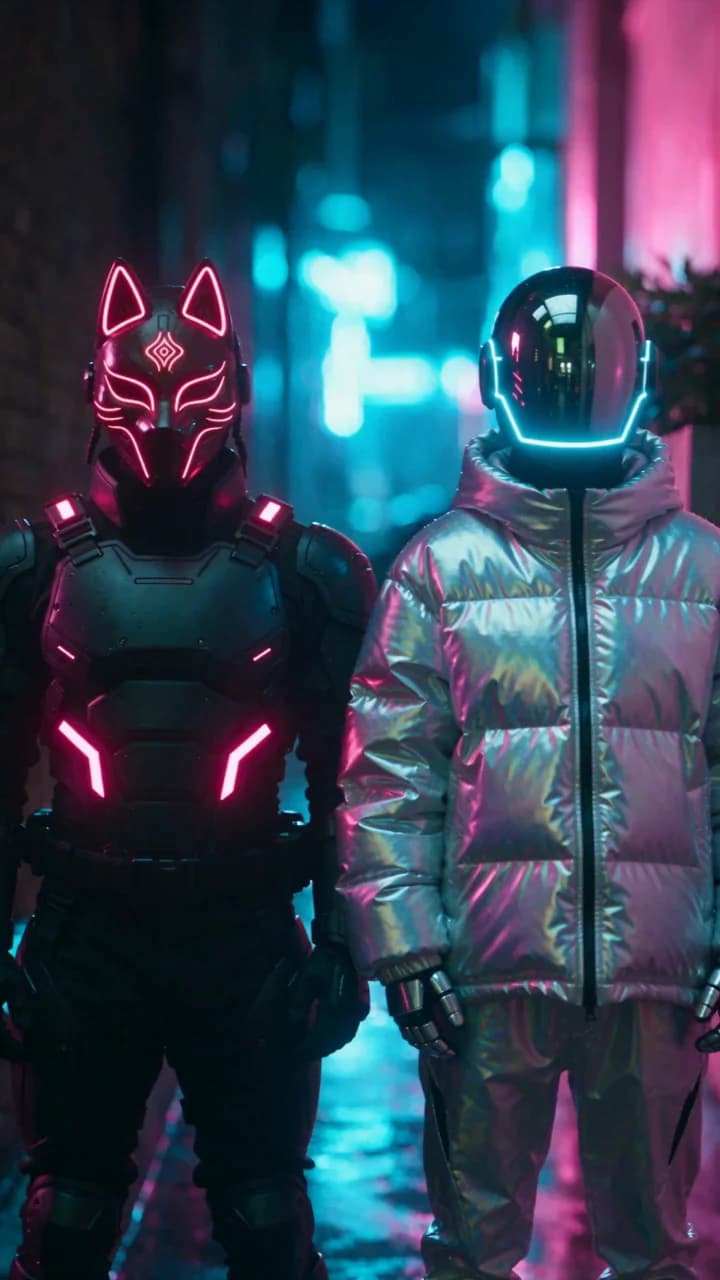
 A kitsune samurai and a chrome android0:00–0:03
 A tiger and a cyber panda0:03–0:07
Example
Neon alley duo
Two dancers in a rainy neon alley, recast twice. The reflections and every beat stay.
Upload a 3–30 second clip of a trend, choose which people in it to replace and who stars in their place, and get the same video back with your performers in it, in 1080p or 4K. The moves, the camera, the setting, the spoken words and the music all stay. The people you replace are never copied, and anyone you don’t pick stays as themselves.
Use it as an AI dance video generator for the latest routine, or as a viral video remake tool to replace any person or swap a character into a clip: talking bits, transitions, reveals, and couple or group trends.
150 free starter credits in many countries · No card · Unused starter credits expire after 72 hours
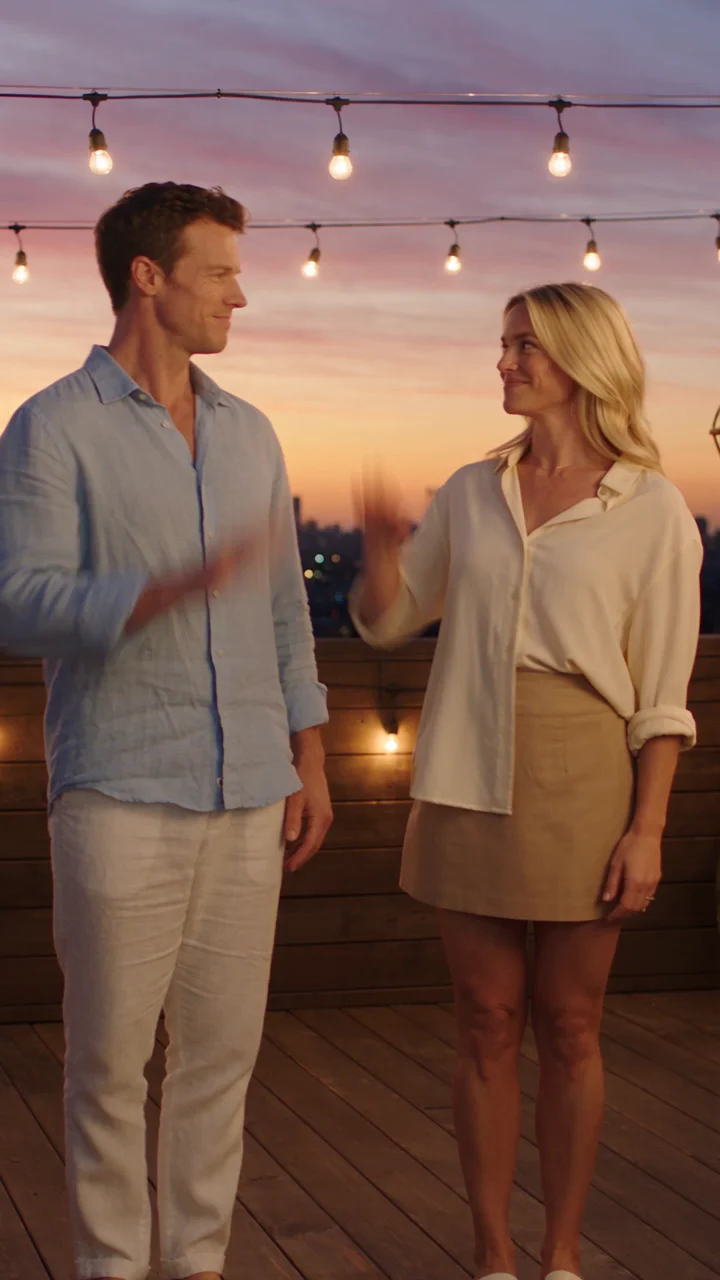
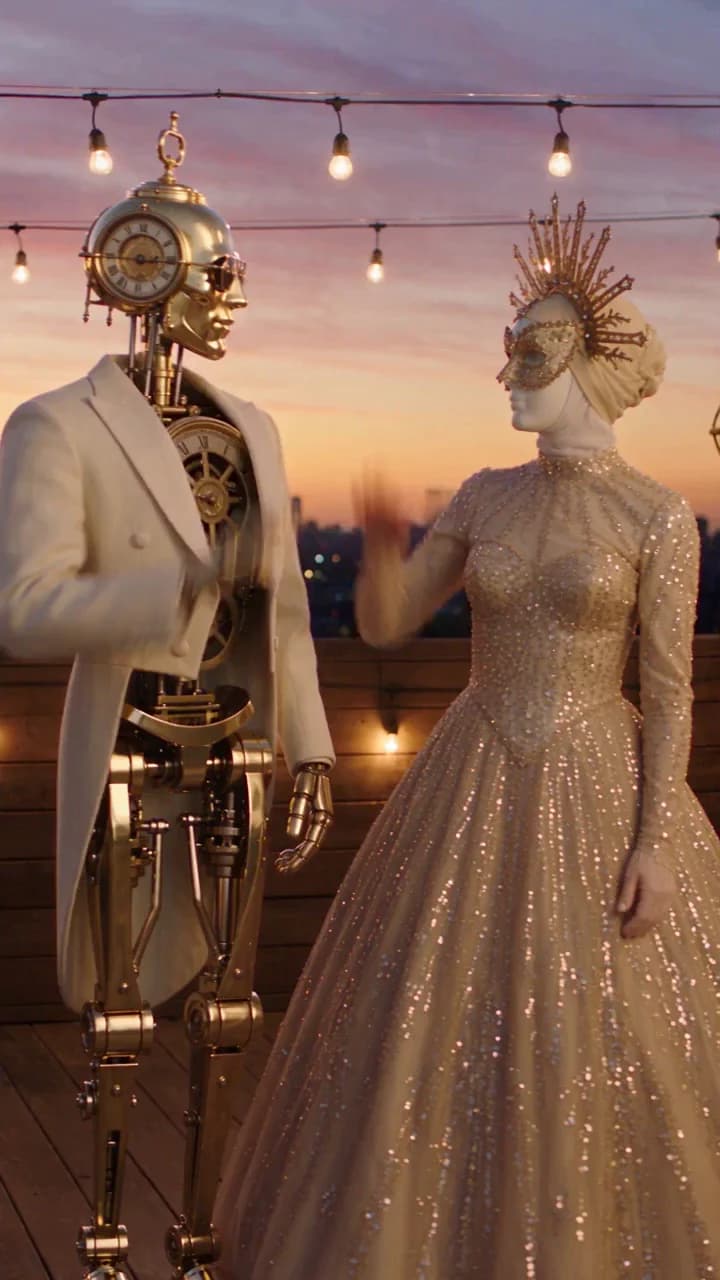
This is an example. Bring your own clip and cast anyone: you, a friend who agreed, or a character.
What you get back
Examples
These are examples made from our own clips. Yours starts from any clip you bring, with anyone you choose.
A kitsune samurai and a chrome android0:00–0:03A tiger and a cyber panda0:03–0:07Two dancers in a rainy neon alley, recast twice. The reflections and every beat stay.
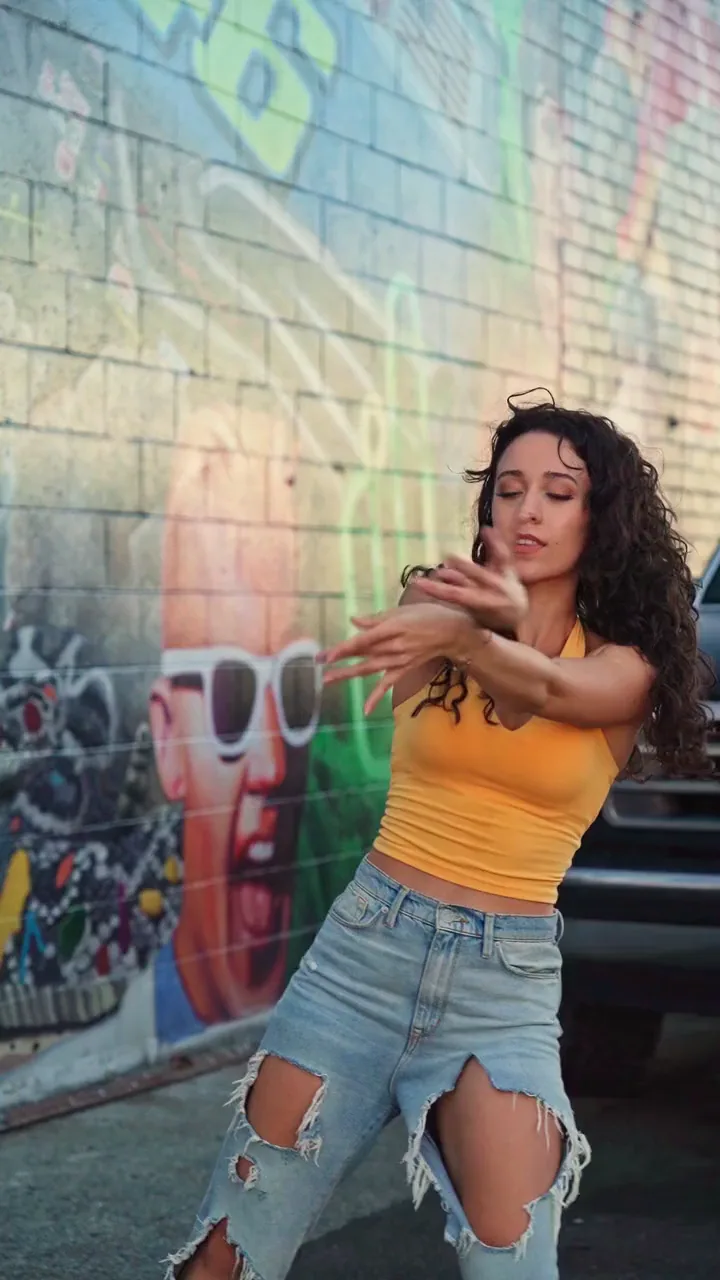
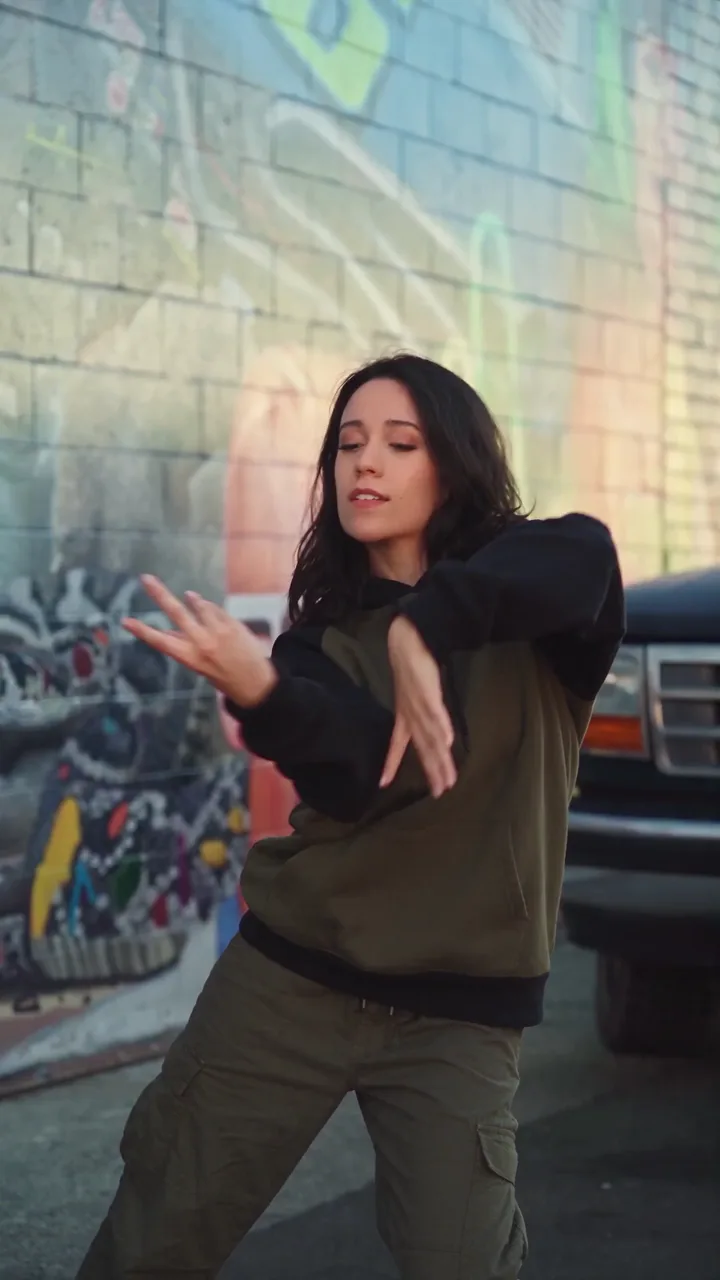
 A dancer in olive cargos0:00–0:01
 A man in a puffer jacket0:01–0:04
 A dancer in a navy leotard0:04–0:08
One routine, three dancers. Every step, the wall and the light stay.
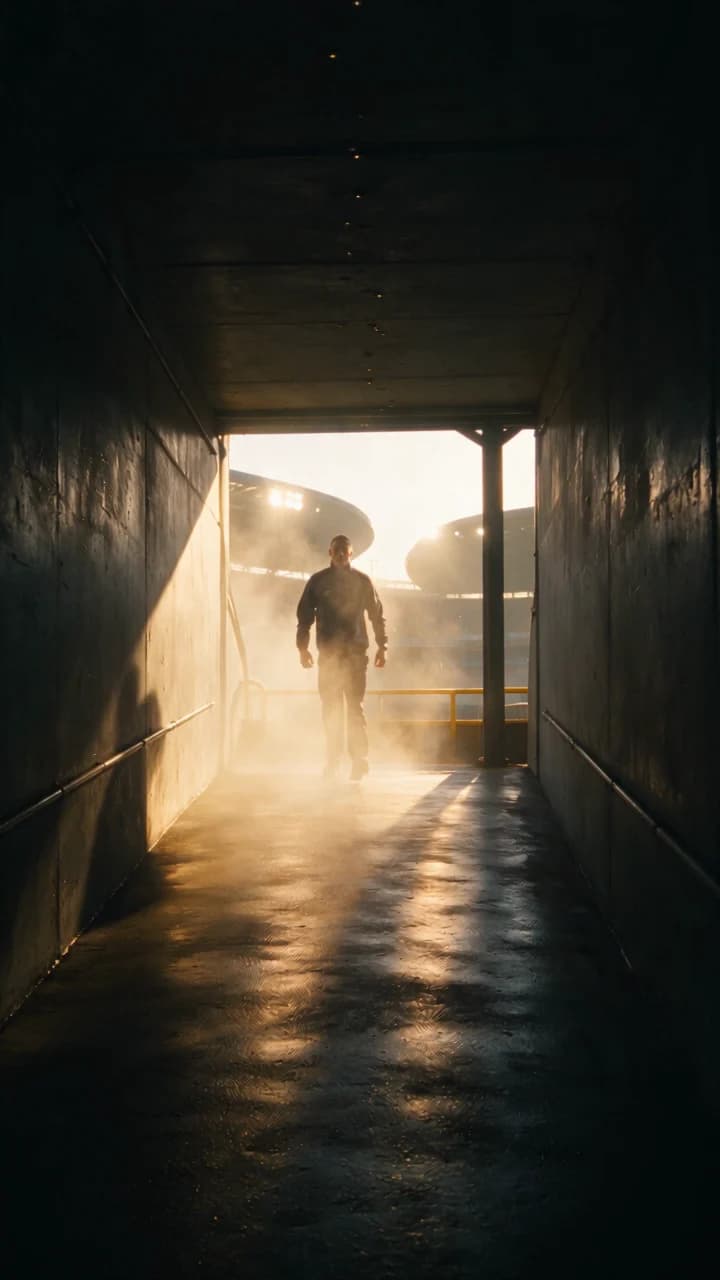
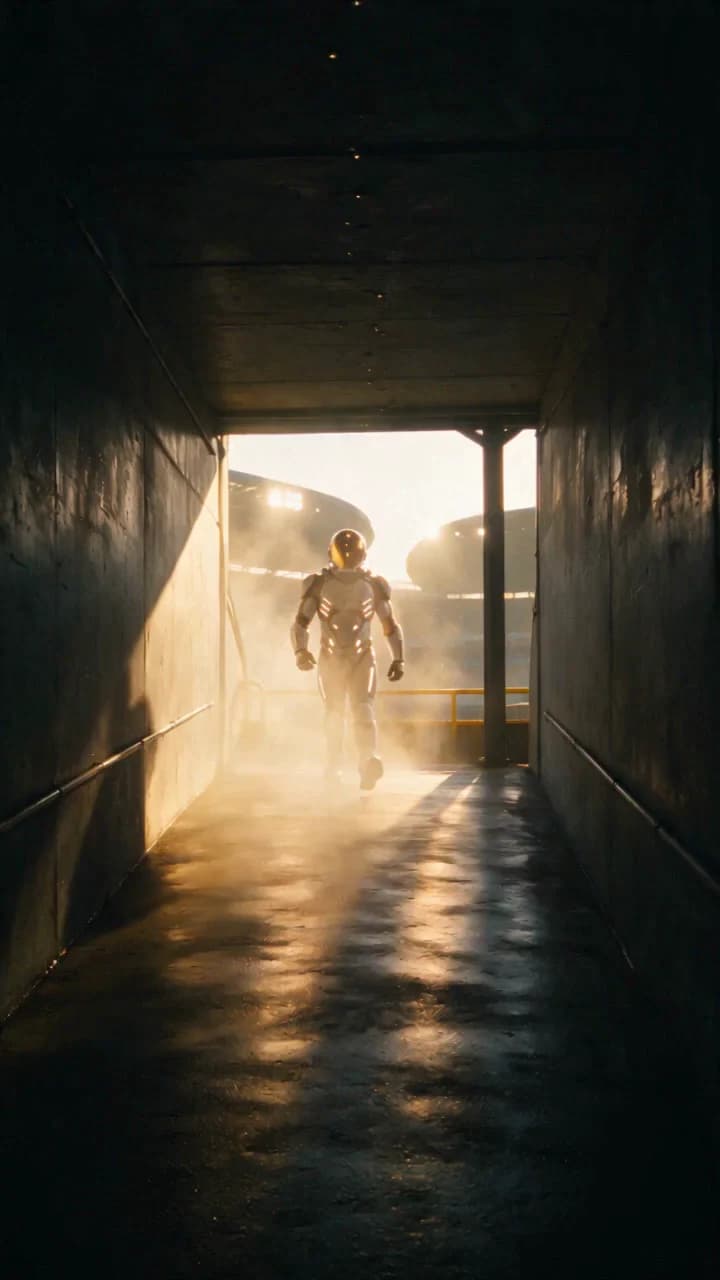
 An astronaut0:00–0:04
 A crimson samurai0:04–0:08
One walk down a stadium tunnel. The haze, the backlight and the stride stay.
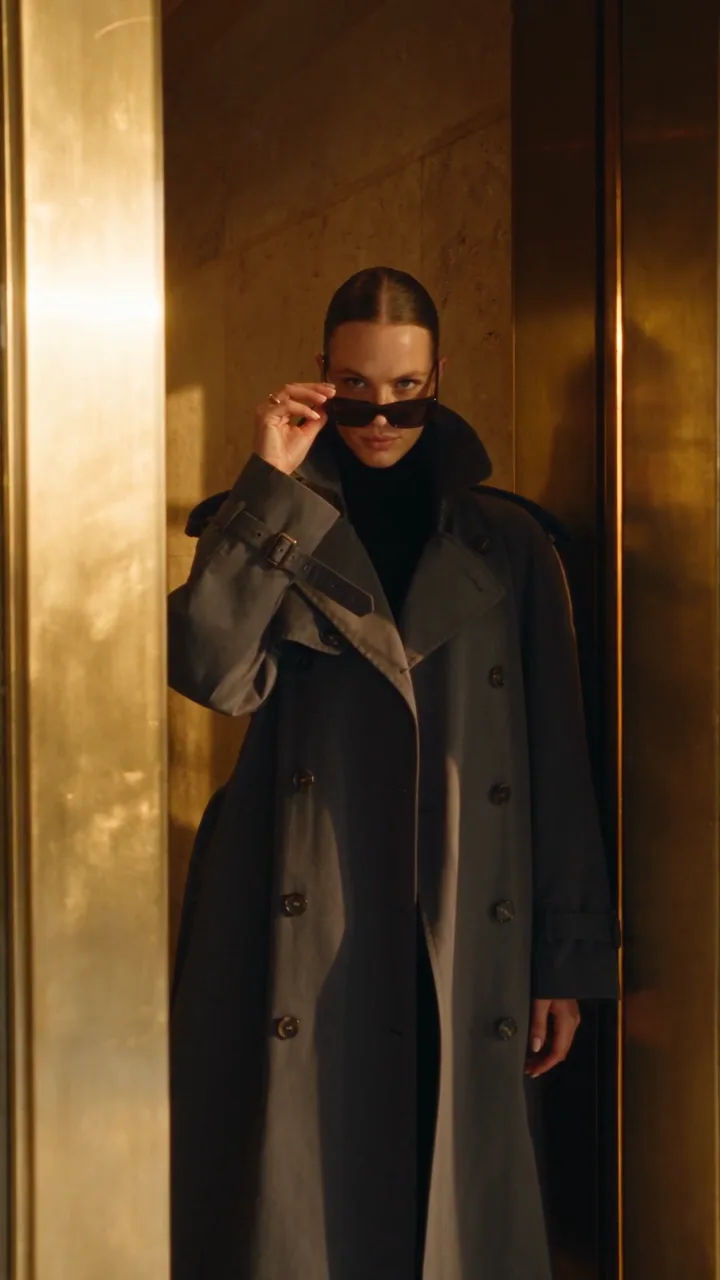
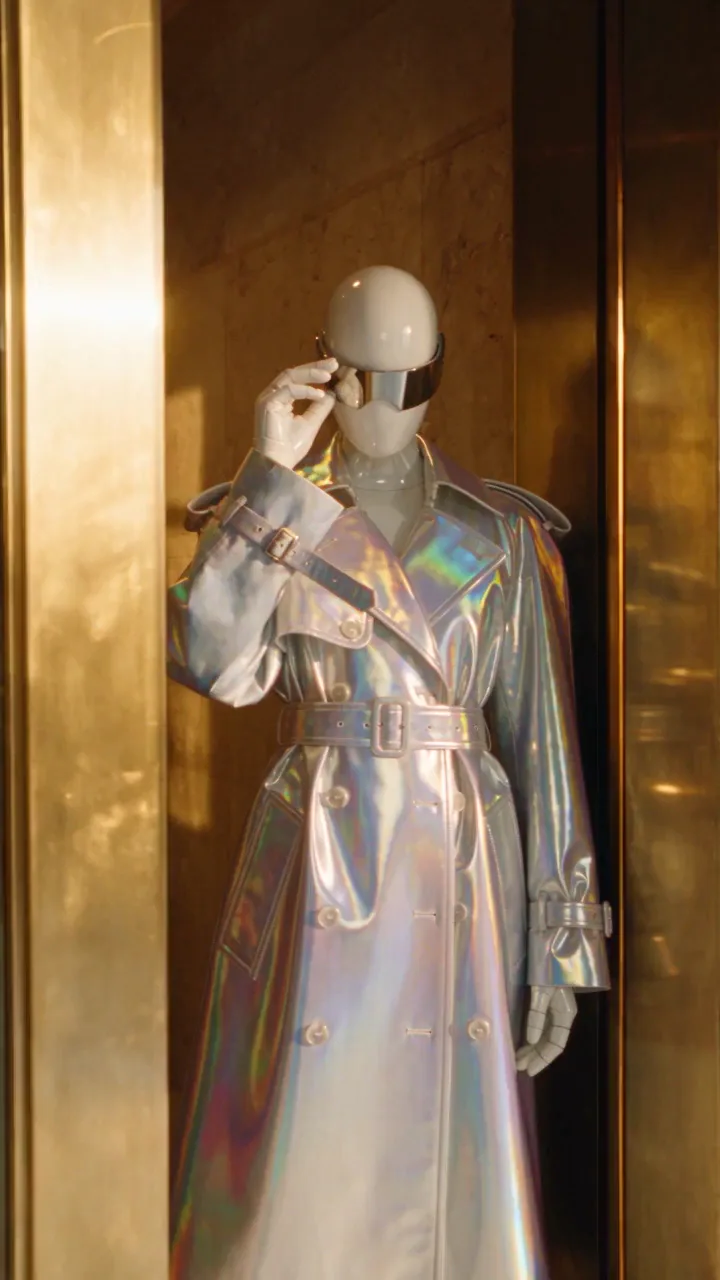
 A chrome android0:00–0:03
 A golden valkyrie0:03–0:07
One walk out of a brass elevator, played by two characters. The doors and the sunlight stay.
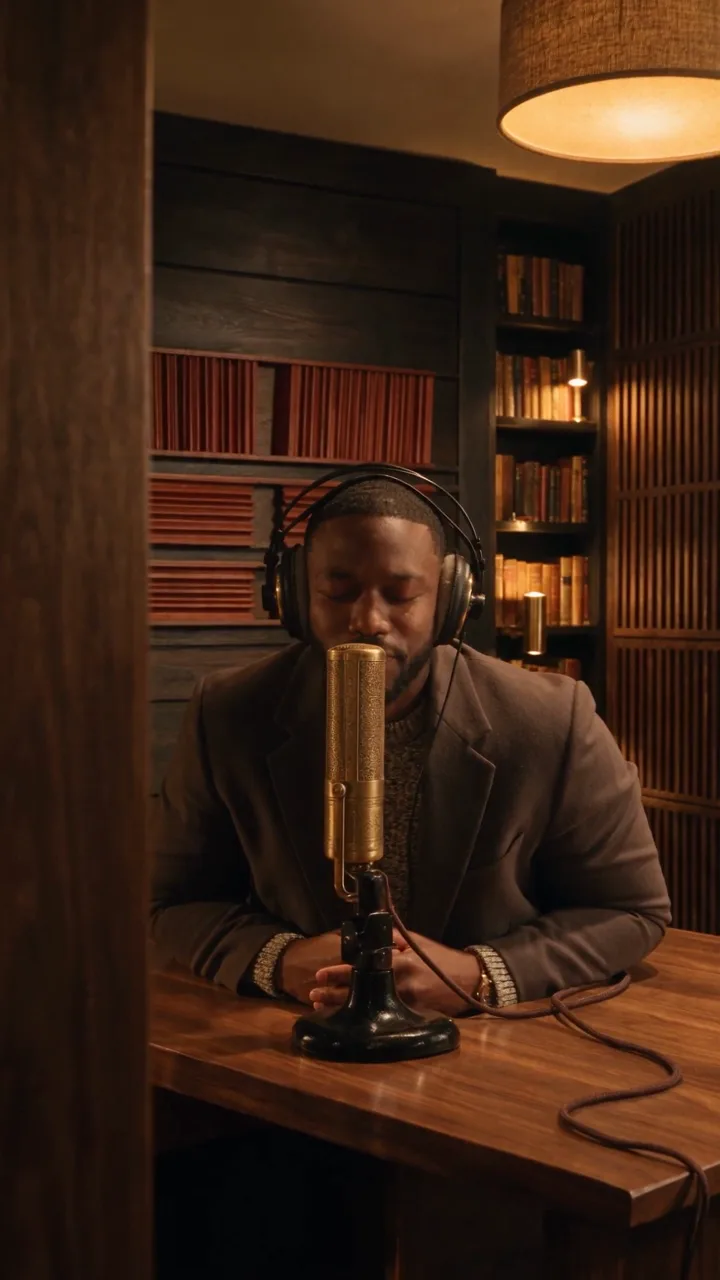
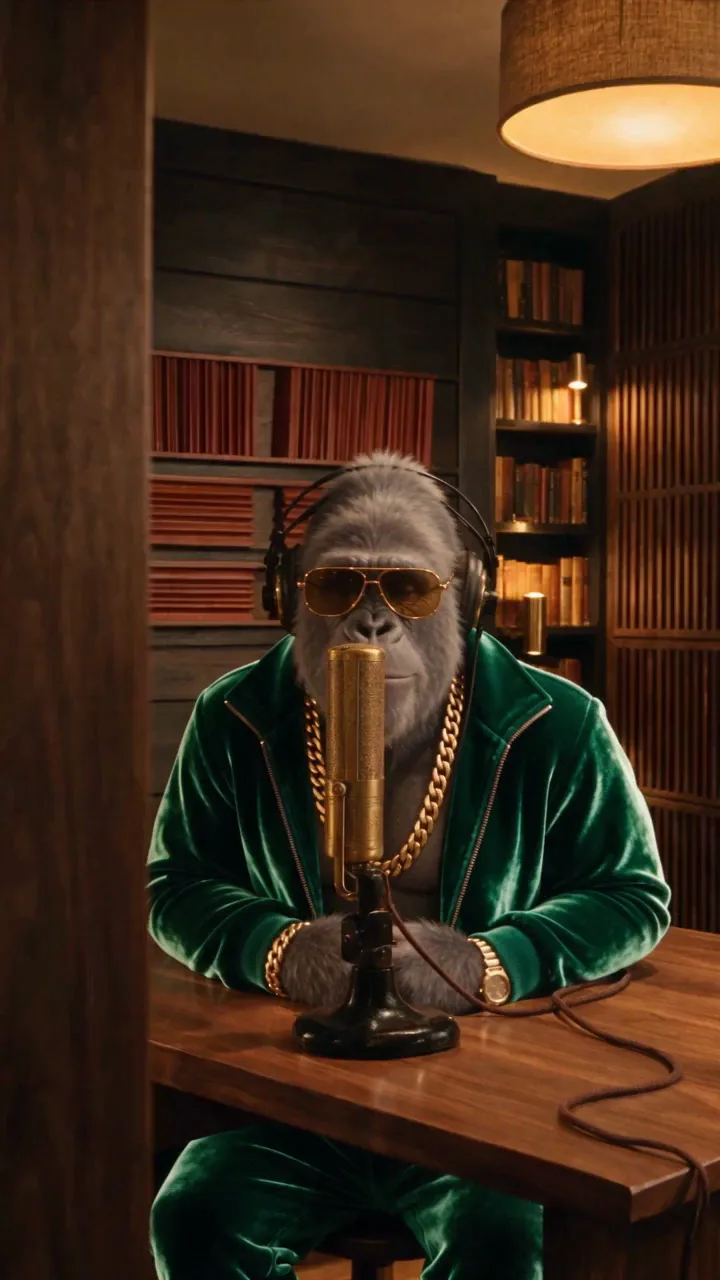
 A gorilla producer0:00–0:04
 A robot DJ0:04–0:07
A seated talk at the microphone. The desk and every hand gesture stay.
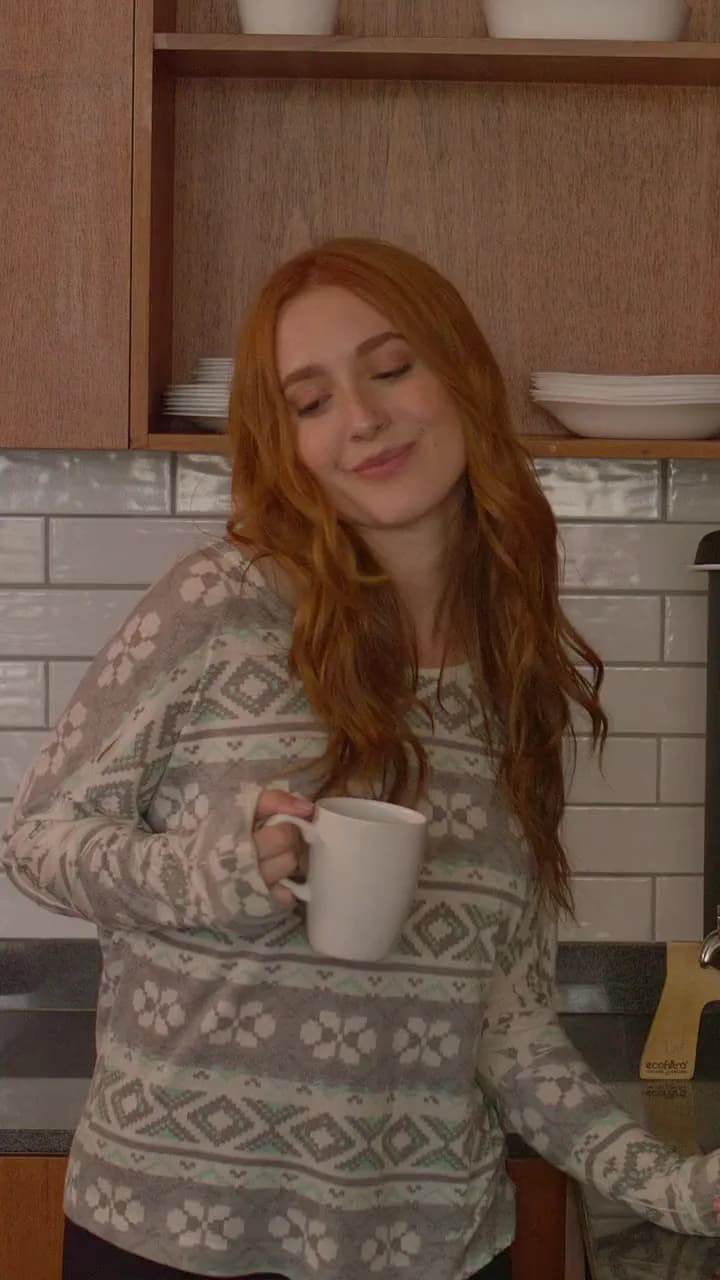
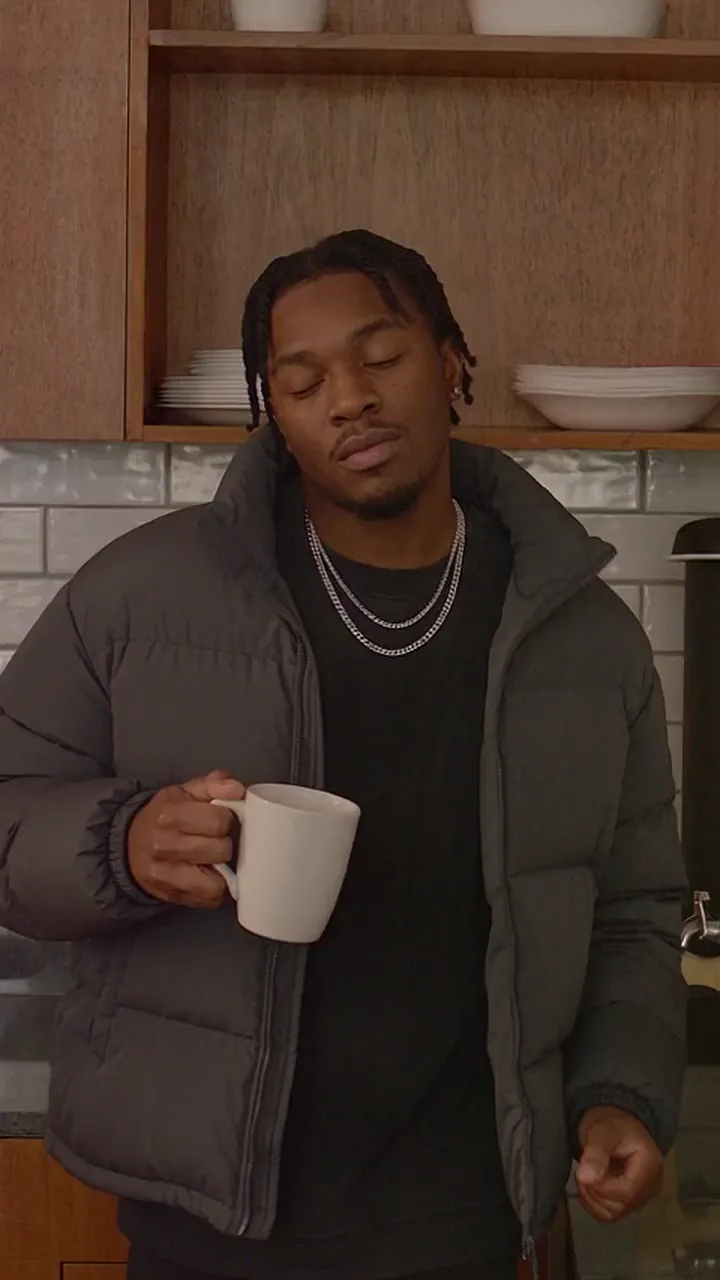
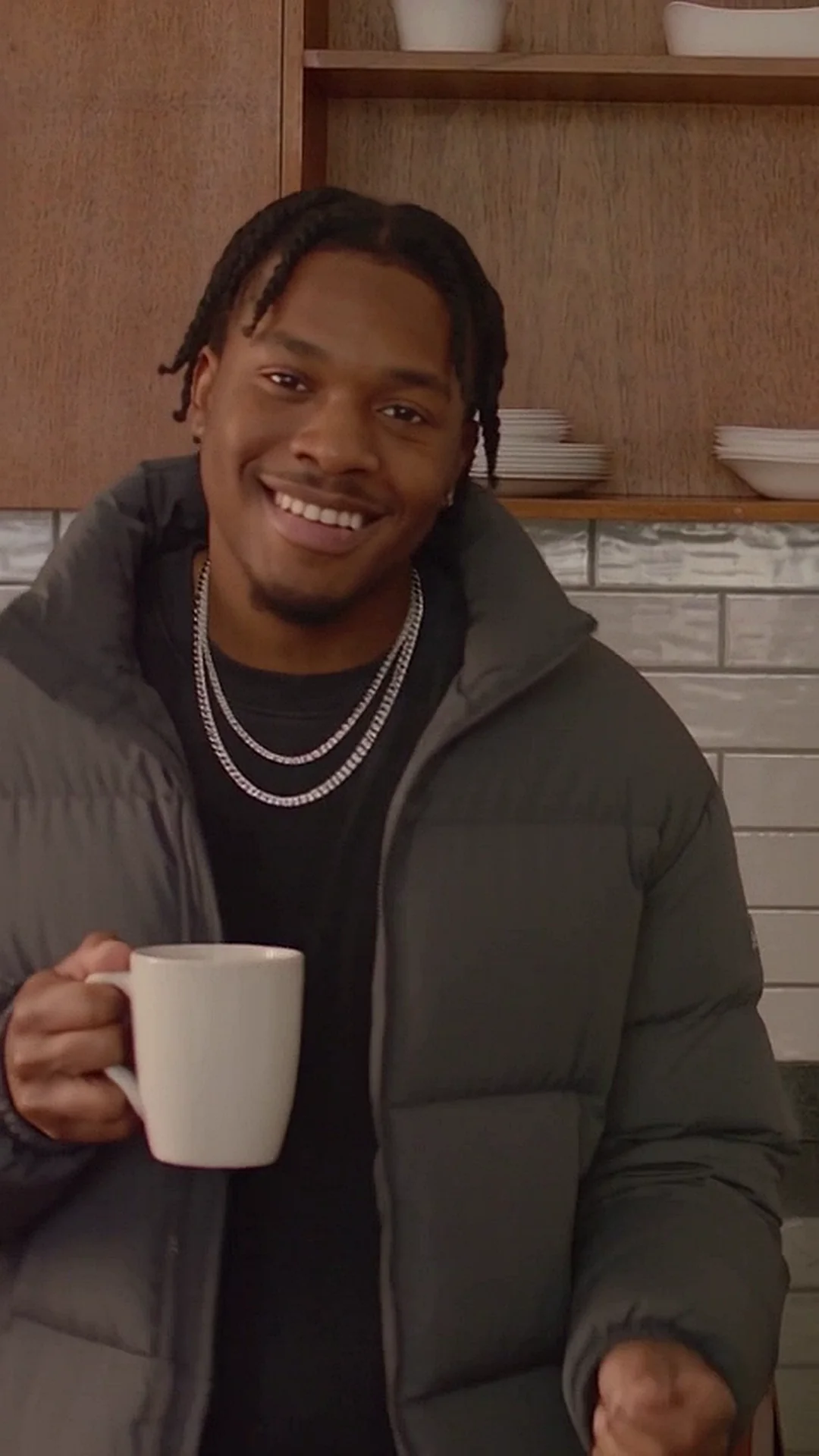
 A man with braids0:00–0:05
 A grey-haired woman0:05–0:11
 A woman with short dark hair0:11–0:17
One kitchen clip with a different Character Studio character in each shot.
What you can remake
If people are on camera for 3 to 30 seconds, you can star in it. Clips work best with everyone fully in view and a steady camera; drawn and animated figures can’t be followed yet.
The steps, the counts and the camera move, performed by you or your characters, from a real clip rather than a preset routine.
Skits, punchlines and voiceover bits keep the clip’s spoken words and timing, with your performer in the shot.
Snap, spin and walk-in transitions keep their camera move and timing, and your performer makes the switch.
Before-and-after and slow-build reveals keep the moment they land on, along with the setting and the sound.
Viral challenges and meme formats keep their framing, timing and sound, with someone new in the shot.
Choose which people in the clip to replace and who plays each one, in any mix. Anyone you don’t pick stays as themselves, so you can replace one half of a duo and keep the other.
How it works
Four steps in the Video Studio. Nothing renders until you have seen the price.
Upload a 3–30 second video of the trend that you have the right to use, or pick one from your Library, and trim the part you want. There is no link import.
Pick the people in your clip to replace, then choose who plays each one: a photo of yourself or of someone who agreed, a saved character, or one you describe in words. Anyone you leave stays as themselves.
Choose 1080p or 4K. Your remake costs 40 credits a second in 1080p or 50 in 4K, and the price is on the button before anything starts.
Your remake is made once, at the size you picked. Download it and post it yourself, or make another take at the same price.
Who stars
Pick the people in your clip to replace, up to 6, and choose who plays each one, in any mix. Anyone you don’t pick stays in the video as themselves.
A photo of yourself. You confirm it is you and that you agree, and you star. Nothing to set up.
One or more characters you designed in Character Studio. They are invented, so nobody’s consent is needed.
Add a photo of a friend and confirm they said yes. Each photo is confirmed on its own.
A few words, such as “a tall dancer in a green jacket”, become an invented character. A real person’s name is not allowed.
When your clip has several people
Each performer takes the place of the person you chose them for, with that person’s moves. Anyone you don’t pick stays in the video as themselves, and someone who may be well known is always replaced.
Reference to video
Remake uses your clip as the reference for the whole video. Only the people you pick are replaced; everyone else stays as themselves.
| From your clip | In your remake |
|---|---|
| The moves | Kept: every step and gesture, with the same timing. |
| The camera | Kept: the framing and the way the camera moves. |
| The setting | Kept: the place and the background. |
| The spoken words | Kept: they come from your clip’s own sound. |
| The music | Kept: the clip’s track plays under the finished video. |
| The people | Changed: your performers take the place of the people you pick, who are never copied. Anyone you don’t pick stays as themselves. |
Your performers keep their own look, taken from the photos, characters or description you choose. The clip’s sound stays with your video, so the words and music are the ones you uploaded.
Consent
Yes, if they agreed. Every real person who stars in your remake must have said yes, and Remake asks you to confirm it for each one, person by person, before it renders. Anyone you keep from your clip appears as themselves, re-created from their own frames, so you also confirm that everyone in the clip is an adult who agreed to be in it. Characters you design or describe are invented, so they need no one’s consent.
Clips that may show a child are declined, anyone in your clip who may be well known is always replaced, and a described character must not use a real person’s name.
Before any credits
A decline happens before the video engine sees your clip, always says what to change, and costs nothing.
A clip or photo with a child in it is declined. Try a clip with adults only.
Anyone in your clip who may be well known is always replaced, never kept. A clip is declined when a public figure appears where they can’t be replaced, like on a screen or a poster. Try another clip.
Nudity and sexual content are declined in the clip, the sound and your description. Trim to a suitable section or pick another trend.
The details
The rules are the same for everyone, and each one is checked before any credits are spent.
| Attribute | Remake |
|---|---|
| Clip length | 3 to 30 seconds, MP4 or MOV, uploaded or from your Library. No link import. |
| Resolution | 1080p or 4K, chosen before you render. |
| Who stars | One for each person you replace, up to 6: you, saved characters, photos of people who agreed, or a character you describe. Anyone you don’t pick stays as themselves. |
| Consent | Each real person who stars must have agreed, and you confirm it for each one before the render. You also confirm that everyone in your clip is an adult who agreed to be in it. Invented characters need no consent. |
| Public figures | Anyone in your clip who may be well known is always replaced. Clips are declined when one appears where they can’t be replaced, like on a screen, and when they show minors or adult content. |
| Sound | Kept from your clip: the spoken words and music. |
| Cost | 40 credits a second in 1080p or 50 in 4K. Billed in whole seconds, rounded up, with a 4-second minimum. A 10-second remake is 400 credits in 1080p or 500 in 4K. |
| Label | Every file carries machine-readable AI provenance, and clips from a free account also show a small AI-generated label. |
| Commercial use | Allowed on every account, and PrismPoster claims no ownership of what you make. Music you bring is covered only by your own licence. |
How it differs
Four common approaches, described by what they do rather than by brand.
| Approach | Whose face | What comes from the clip | The clip’s sound | Consent |
|---|---|---|---|---|
| PrismPoster Remake | You, your characters or friends who agreed, plus anyone you keep, as themselves | The moves, camera, setting, words, music and anyone you keep; never the people you replace | Kept, added back after the render | Confirmed for each performer and for the people in your clip, before the render |
| Photo-to-dance generators | The photo you upload | Moves from the tool’s own templates | Usually a library track | Varies by tool |
| Face-swap apps | Yours, placed onto someone else’s footage | The original clip, including the other person’s body | Usually kept from the original | The other person’s is rarely asked |
| Reposting the original clip | The original creator’s | Everything | The original song | Not yours to give |
Typical behaviour as of October 2026; individual tools differ.
Getting started
Making an account is free. In many countries it comes with 150 free starter credits, no card; unused starter credits expire after 72 hours. Elsewhere, a small credit pack is the entry. A remake is paid by the rendered second: the shortest one is 160 credits in 1080p.
Pay as you go, no subscription: the shortest Remake costs 160 credits, about $2.88 (€2.56). The credits you buy never expire.
Questions
A new version of a trend video with different people in it. In PrismPoster you upload the clip, choose who stars, and get the same moves, camera, setting, words and music back with your performers in the shot.
It renders a dance with a performer you choose. Remake starts from a real dance clip: you upload it, pick who stars, and the AI recreates the same routine, timing and camera with your performers. The clip’s music is then added back to the finished video.
Yes. Add a photo of yourself as the performer and confirm you agree. A saved character or one you describe can star instead.
Yes, if they agreed. Add a photo of each friend and confirm for each one that they said yes before your remake renders. Characters you invent need no one’s consent.
Yes. Pick up to 6 people in your clip to replace and choose who plays each one, in any mix of you, characters and people who agreed. Each performer takes the moves of the person they replace, and anyone you don’t pick stays as themselves.
Yes. Everything except the people you replace comes from your clip: the moves, the camera, the setting, the spoken words and the music. The sound is added to the finished video afterwards.
Not the people you replace. Your clip guides the moves, camera and setting, and each performer’s look comes from the photos, characters or description you choose, so your performers take those people’s place. Anyone you don’t pick stays in the video as themselves, and the clip’s sound stays with it.
Yes, if you have the right to use the clip. Save it to your device and upload it, since there is no link import. Remake keeps the moves, camera, setting and sound, and replaces the people you pick.
One where everyone is fully in view and the camera is steady, 3 to 30 seconds long. Drawn and animated figures can’t be followed yet.
3 to 30 seconds. A longer clip can be trimmed in place before you start.
Yes, if the photo shows you or someone who agreed: add it as a performer, and the moves come from the dance clip you upload. Remake always needs a clip for the moves; to animate a photo on its own, use the photo-to-video tool.
Clips that may show children or adult content are declined before any credits are spent, and so are clips where a public figure appears where they can’t be replaced, like on a screen or a poster. Anyone in your clip who may be well known is always replaced. Each decline says what to change, and nothing is charged. You confirm that you have the right to use your clip, because that cannot be checked for you.
The price shows before every render. A remake costs 40 credits a second in 1080p or 50 in 4K, and you choose the size before it renders. Time is billed in whole seconds, rounded up, with a 4-second minimum, so the shortest remake is 160 credits. A 10-second remake is 400 credits in 1080p or 500 in 4K.
Making an account is free, and in many countries it comes with 150 free starter credits, no card; unused starter credits expire after 72 hours. Elsewhere, a small credit pack is the entry. Remakes are paid by the rendered second: the shortest one is 160 credits.
Yes, on every account, and PrismPoster claims no ownership of what you make. Music you add yourself is covered only by your own licence.
Yes. Remake is part of the Video Studio, which runs in a phone browser: upload from your camera roll, trim, and render.
Longer clips, higher resolution, sound, songs and a timeline editor — in one account.
150 free starter credits in many countries · No card · Unused starter credits expire after 72 hours
Pay as you go, no subscription: credit packs from €3.99, paid once. The credits you buy never expire.
Start creating free